『ドキドキ』 Dokidoki | OSC Heartbeat Gimmick for VRChat Avatars
- ダウンロード商品『ドキドキ』 Dokidoki¥ 700
- ダウンロード商品🥭サポート🍡 Support ❤️¥ 800
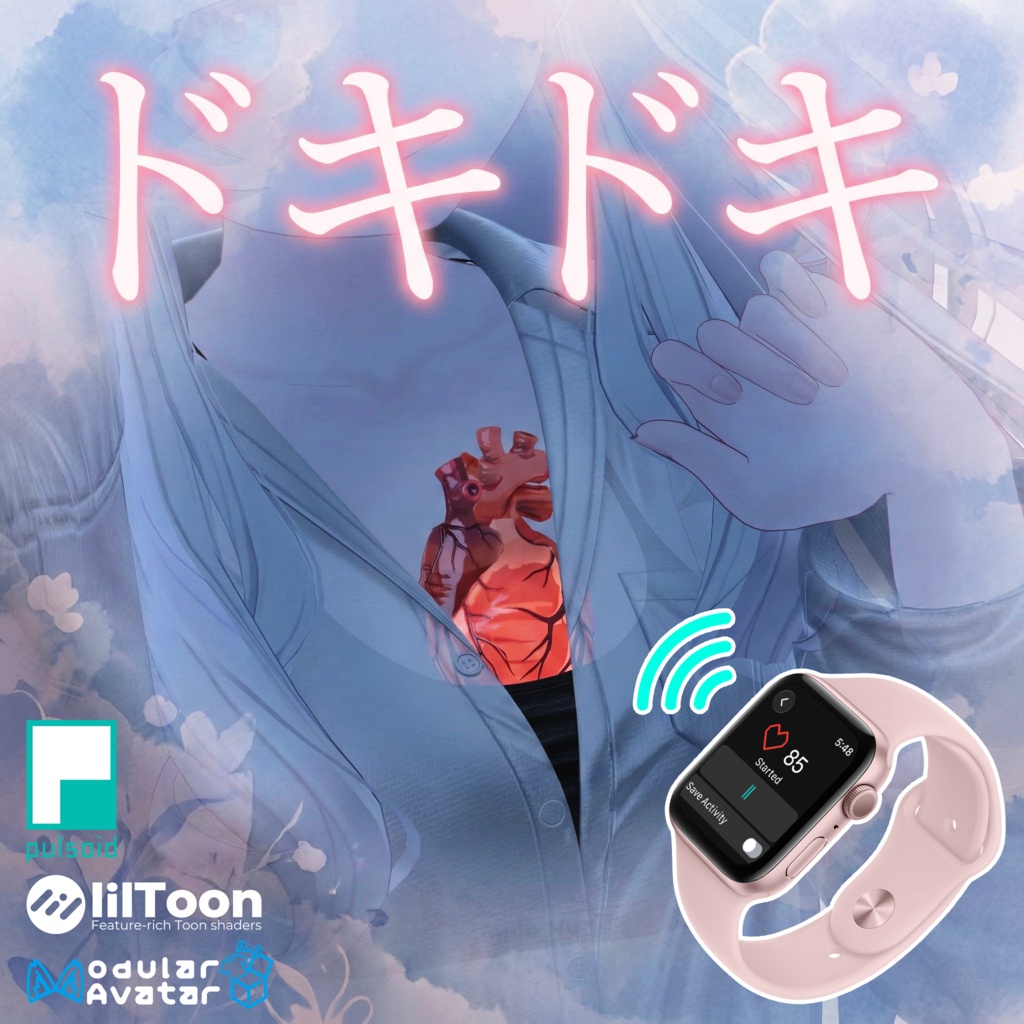
心臓がバクバク!?リアル心拍連動ギミック『ドキドキ』 アバターに「命」を吹き込みませんか? 『ドキドキ』は、アバターの胸の中でリアルに鼓動する心臓を追加するギミックです。 Apple Watchなどの心拍計と連携して、あなたの実際の心拍数と同期させることができます! 心拍計がない場合でも、手動で好きな速さに設定して遊べます。 ホラーワールドやフィットネス、ロールプレイなど、没入感を高めたい方に最適です✨
✨ 推しポイント
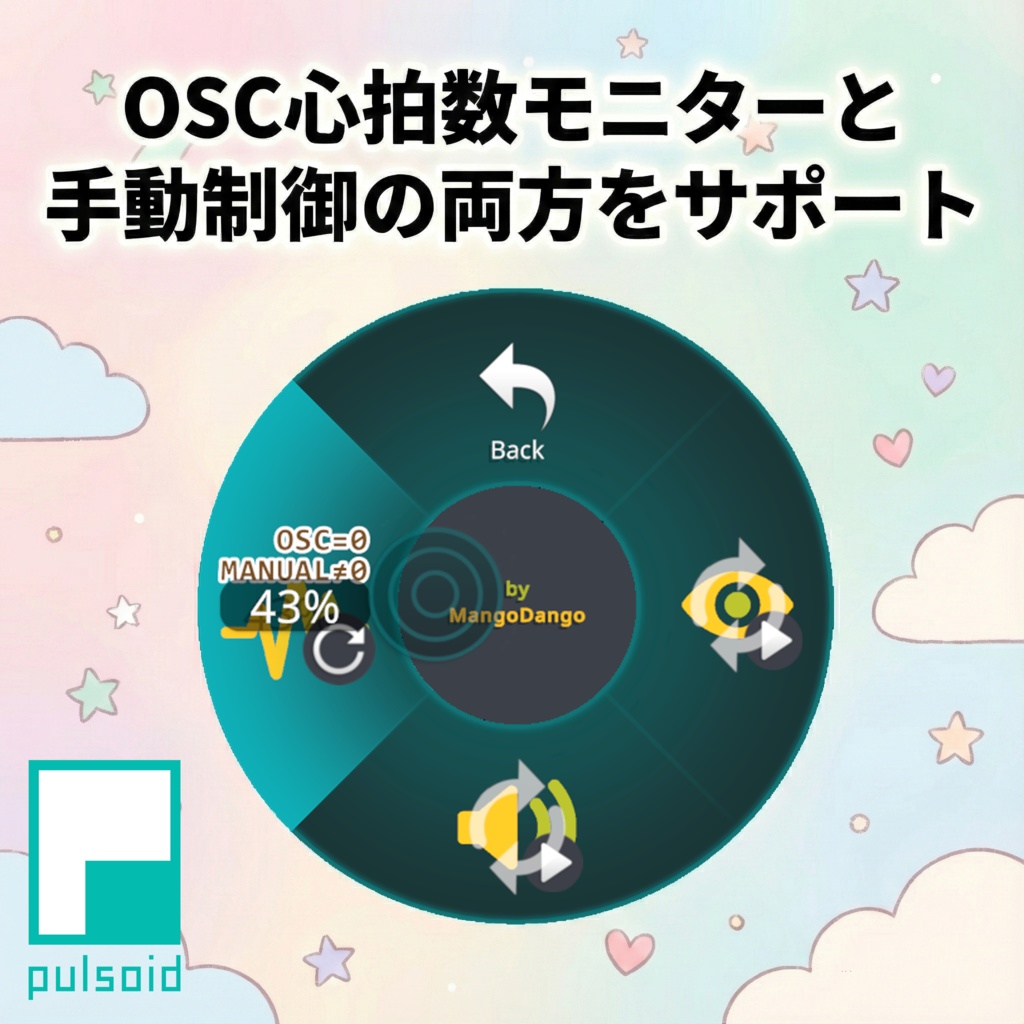
・ X線のような透視ビジュアル: 高度なステンシルシェーダー技術により、服や肌を通して「体内にある心臓」だけが透けて見えます。 ・ リアルタイム同期 (OSC): Apple Watchなどの心拍計と連携し、心臓の動きと音をあなたのリアルな心拍数と完全にリンクさせることができます。 ・ マニュアルモード搭載: 心拍計を持っていなくても大丈夫!メニューのラジアル操作で、BPM40〜180まで自由に心拍数をコントロールできます。 ・ 臨場感あるサウンド: アニメーションと完全に同期した、リアルな鼓動音(ドックン…ドックン…)が再生されます。 ・ 簡単セットアップ: 専用の「ドキドキ・インストーラー」が付属。アバターをドラッグ&ドロップするだけで簡単に導入できます!
📦 必須アセット
本製品を使用するには、以下の無料アセットがプロジェクトに導入されている必要があります。 ・Modular Avatar https://modular-avatar.nadena.dev/ ・lilToon https://lilxyzw.github.io/lilToon/ ⚠️ シェーダーの互換性について: アバターの「身体(Body)」および「肌(Skin)」のマテリアルは、lilToon シェーダーを使用している必要があります。これ以外のシェーダーでは透視エフェクトが正しく動作しません。
💓 心拍数同期(OSC)を利用する場合
実際の心拍数と同期させたい場合は、以下の準備が必要です。 1. Pulsoid対応の心拍モニター (Apple Watch, Garminなど) ※対応デバイス一覧はこちら: https://blog.pulsoid.net/monitors?from=mheader 2. Pulsoid モバイルアプリ (iOS / Android) ※無料のPulsoidアカウント作成が必要です。 3. VRCOSC アプリケーション (PC用) https://github.com/VolcanicArts/VRCOSC/releases ※心拍データをVRChatに送信するための無料ソフトです。
🔧 導入手順
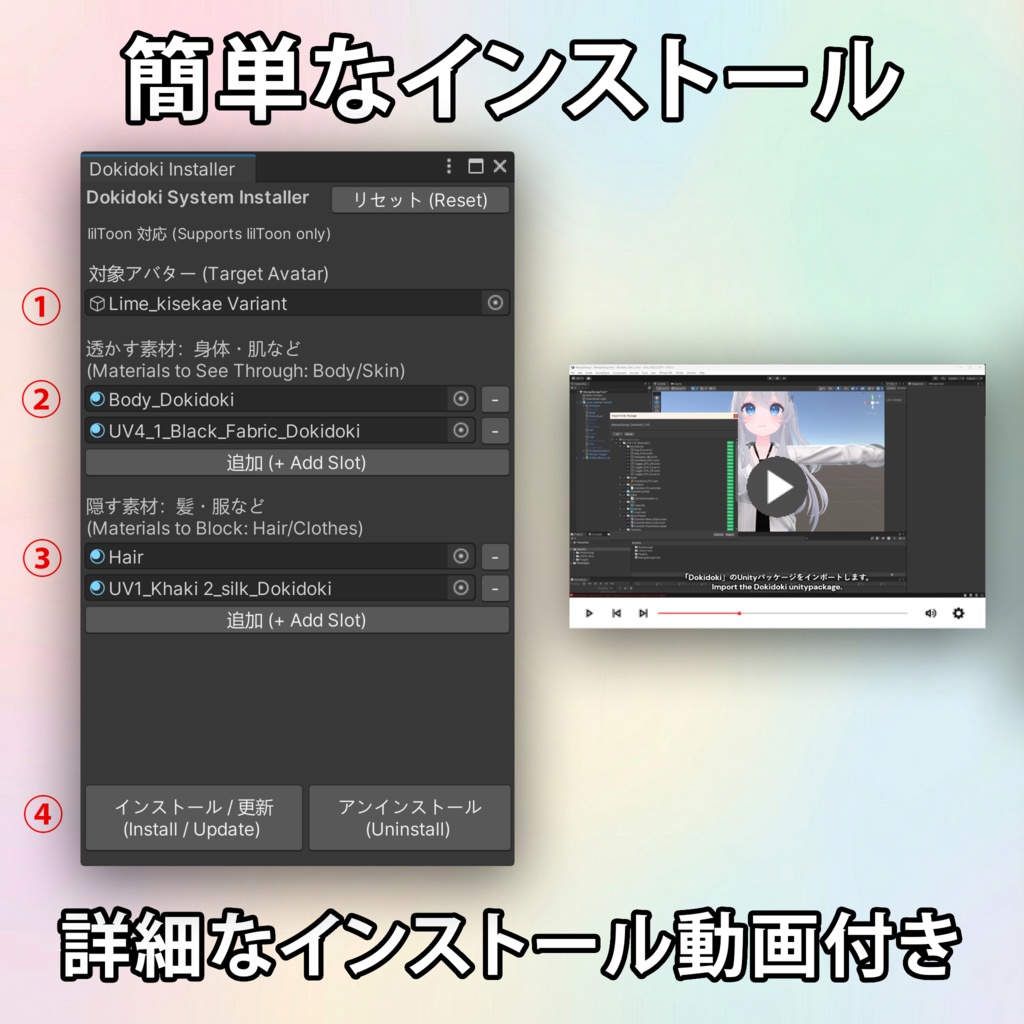
1. Unityパッケージをインポートします。 2. メニューバーの Tools > MangoDango > Dokidoki を開きます。 3. あなたのアバターをスロットに入れます。 4. 画面の指示に従って、身体のマテリアル等をセットします。 5. 「Install」ボタンを押せば完了です! (※Apple Watchを使用した詳細なセットアップ動画も同梱されています)
🕹️ 操作方法
Expressions Menuに「MangoDango」カテゴリが追加されます。 ・Visual Toggle: 心臓の表示 ON/OFF ・Audio Toggle: 心音のミュート ON/OFF ・BPM Control (Radial Puppet): 0% : OSCモード(リアル心拍数と同期) 1% - 100% : マニュアルモード(手動設定) [目安] 1% ≈ 40 BPM, 43% ≈ 60 BPM, 100% = 180 BPM
📜 利用規約
本製品は VN3ライセンス を採用しています。 詳細はこちら: https://drive.google.com/drive/folders/1uieVTAyUAg4v0EhQDLE0hcbFd7qVJ55w?usp=sharing
⚠️ 動作環境 / 免責事項
以下の環境で動作確認済みです。 ・VRChat SDK:3.10.1 ・Unity:2022.3.22f1 ・Modular Avatar:1.15.1 ・lilToon: 2.3.2 ・VRCOSC: 2025.1216.0 ・Pulsoid mobile app: 2025/12/30時点の最新版 ※上記以外の環境での動作は保証いたしかねます。 [ステンシル設定に関するご注意] アバターがすでに独自のステンシル設定(Fake Shadowなどの特殊なギミック)を使用している場合、付属のGUIによる自動インストールが失敗する可能性があります。 手動での導入は可能ですが、サポートは提供されない場合があります。通常、Fake Shadowや類似のアドオンを使用していない限り、この点を心配する必要はありません。 ステンシルの詳細については以下をご参照ください:https://lilxyzw.github.io/lilToon/ja_JP/advanced/stencil https://docs.unity3d.com/2022.3/Documentation/Manual/SL-Stencil.html
📌 更新履歴
2026/1/3 ・バージョン1.01リリース 不具合報告やご質問は、ショップのメッセージ(DM)までお気軽にご連絡ください!
🌐 English
Dokidoki - OSC Heartbeat System Bring your avatar to life with a real beating heart! "Dokidoki" is a fully integrated heartbeat system that visualizes your pulse inside your avatar's chest. Whether you want to sync it with your real-life heart rate for immersive horror/fitness gameplay or just set a manual rhythm for roleplay, this gimmick adds a stunning layer of biological realism to your VRChat presence. ✨ Key Features ・ X-Ray Heart Visuals: A realistic, beating heart visible INSIDE your chest using advanced stencil shaders (works through clothes/skin!). ・ Immersive Audio: Includes a spatialized "Lub-Dub" heartbeat sound that syncs perfectly with the animation. ・ Real-Time Sync (OSC): Connects to your Apple Watch or Pulsoid-compatible monitor to sync the animation and sound with your ACTUAL heartbeat in real-time. ・ Manual Mode: No heart monitor? No problem. Use the Radial Menu to manually set the BPM anywhere from 40 to 180. ・ Full Control: Toggle visuals and audio independently in-game. ・ Easy Setup: Comes with a custom "Dokidoki Installer" script—just drag, drop, and click! 📦Requirements To use this asset, your project must already have the following installed: ・Modular Avatar https://modular-avatar.nadena.dev/ ・lilToon Shader https://lilxyzw.github.io/lilToon/ ⚠️ Shader Compatibility: Your avatar's Body/Skin material must use lilToon shader for the X-Ray effect to work. 💓 How to Sync with Real Heart Rate (Optional) If you want the automatic OSC sync feature, you will need: 1. A Pulsoid-compatible Heart Rate Monitor (Apple Watch, Garmin, etc.) Check compatibility here: https://blog.pulsoid.net/monitors?from=mheader 2. The free Pulsoid mobile app (iOS or Android) Requires a free Pulsoid account. 3. VRCOSC Application https://github.com/VolcanicArts/VRCOSC/releases This free app runs on your PC to send your heart rate data to VRChat. 🔧 Installation 1. Import the unitypackage. 2. Go to Tools > MangoDango > Dokidoki to open the installer. 3. Drag your avatar into the target slot. 4. Follow the simple UI to assign your body materials. 5. Click Install! (A detailed video tutorial using Apple Watch setup is included). 🕹️ How to Use ・Visual Toggle: Show/Hide the heart mesh. ・Audio Toggle: Mute/Unmute the heartbeat sound. ・BPM Control (Radial Puppet): 0% : OSC Mode (Syncs with real heart rate). 1% - 100% : Manual Mode (Overrides OSC). [Reference] 1% ≈ 40 BPM, 43% ≈ 60 BPM, 100% ≈ 180 BPM. 📜 Terms of Use This product uses the VN3 License. Please refer to the full terms here: https://drive.google.com/drive/folders/1uieVTAyUAg4v0EhQDLE0hcbFd7qVJ55w?usp=sharing ⚠️ Disclaimer Tested with: ・VRChat SDK:3.10.1 ・Unity:2022.3.22f1 ・Modular Avatar:1.15.1 ・lilToon: 2.3.2 ・VRCOSC: 2025.1216.0 ・Pulsoid mobile app: latest release as of 2025/12/30 Other versions may work, but are not guaranteed. [Important Note on Stencil Settings] If your avatar already has materials that use custom Stencil settings (e.g. Fake Shadow systems), the included automatic installation via GUI might fail. Manual installation is possible but its support may not be provided. Typically, unless you use Fake Shadow or similar addons, you don't need to worry about this. Learn more about Stencils here: https://lilxyzw.github.io/lilToon/ja_JP/advanced/stencil https://docs.unity3d.com/2022.3/Documentation/Manual/SL-Stencil.html 📌 Changelog 2026/1/3 ・Version 1.01 released If you encounter any issues or have questions, please feel free to DM me!